
Let Voices Live On
One day your voice will be all that's left.What will yours leave behind?
Discover VoxLore, a unique living archive preserving the authenticity and presence of human voices. Hear stories told by the people who lived them, capturing truth beyond written words.

Why voices
Every voice deserves to live on.
- Every person has a story.
- Every story carries a soul.
- Every voice deserves to live on.
VoxLore is a home for the human voice: a place where stories are preserved, wisdom is shared and we stay connected. The name joins vox, Latin for voice, with lore, the stories a family or a people pass down. Every story on VoxLore is told out loud, by someone who lived it or someone who loves the person who did.
I didn't build VoxLore because I lost someone's voice. I built it because I realized the human voice is the closest thing we have to holding someone's soul after they're gone.
What VoxLore is
A home for the stories people tell out loud.
Record a life as a Bio, one Episode at a time. Hear your family on a tree of voices. Find people whose stories you didn't know you needed.
A life, told in Episodes
Start a Bio for yourself or for someone you love, then add Episodes one story at a time, in audio or video. Record in the app or upload a file. Drafts stay private to you until you publish.
A family tree of voices
Your relatives, arranged around you. Tap someone to hear them. When nothing is selected, short clips from your family play softly together, like chatter at a family gathering.
Remember who's gone
Add relatives who have passed away, with dates and a photo if you have one. They're marked on your tree with a small gold leaf.
Honest credit
Every Episode shows who published it, who it's about and whose voice you hear, so a grandchild telling Grandpa's story never passes it off as his own recording.
Private by default
Family relationships are seen only by the people in them and are never used for public discovery. Birth date and birthplace stay hidden unless you choose to show them.
Your own Channel
Everything you publish lives on your Channel, newest first, where people can follow along. Host interviews and conversations, and credit each Featured Guest by name, even if they don't use VoxLore.
Listen your way
Play a whole Bio or a single Episode, skip back ten seconds to hear a line again, and rate what moves you.
Keep what you love
Recent picks up where you left off. My List holds the Bios you save. Downloads keep Episodes on your phone for listening offline.
Look around first
Sign in with Apple, Google or a one-time email link, or tap Skip and start listening right away. Sign in later without losing your place.
Inside the app
Made for listening.
Dark, quiet screens with the story up front. These are screens from the current beta, shown with sample content.
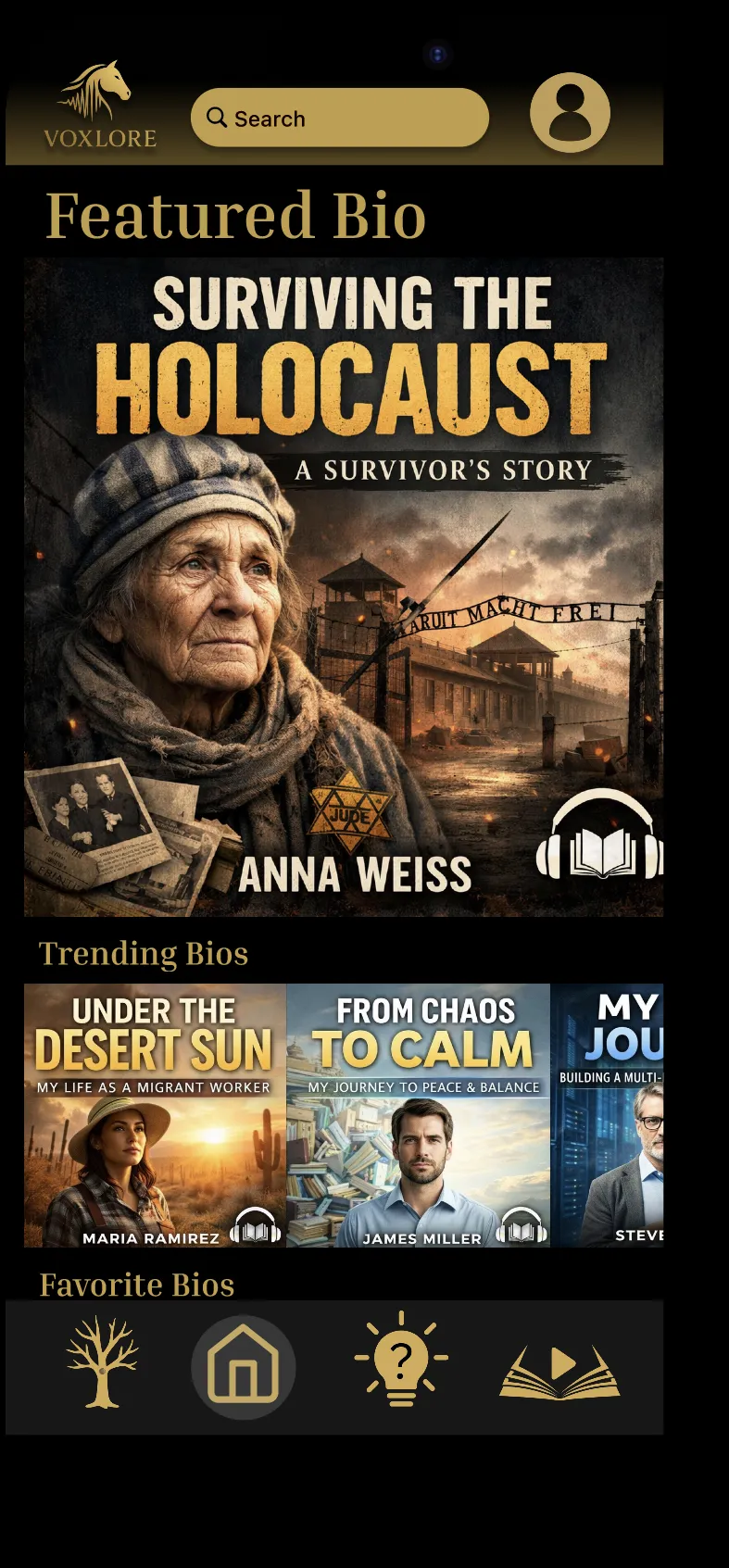
Home opens on a Featured Bio, with what people are listening to right now. 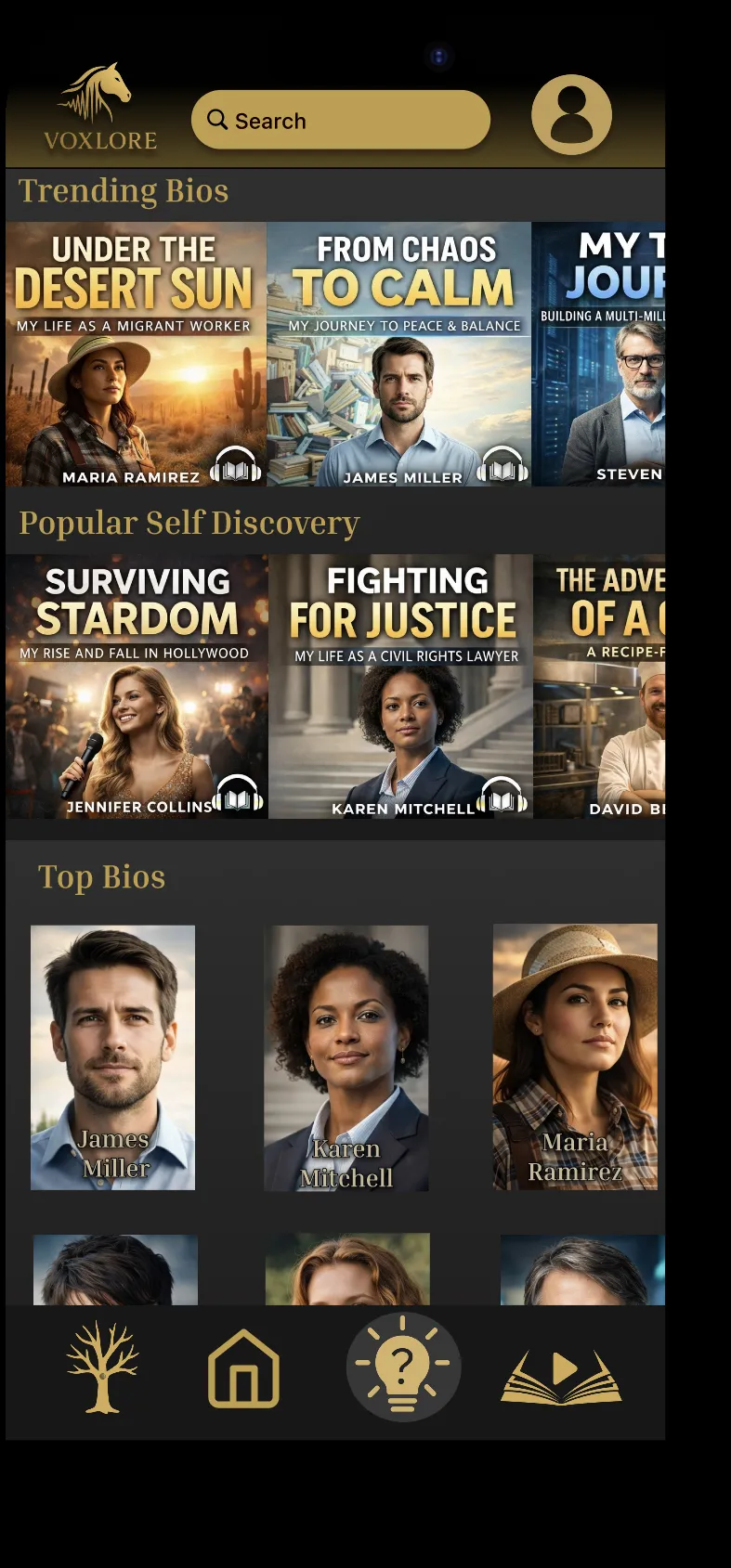
Discover lays out trending Episodes and the top Bios. 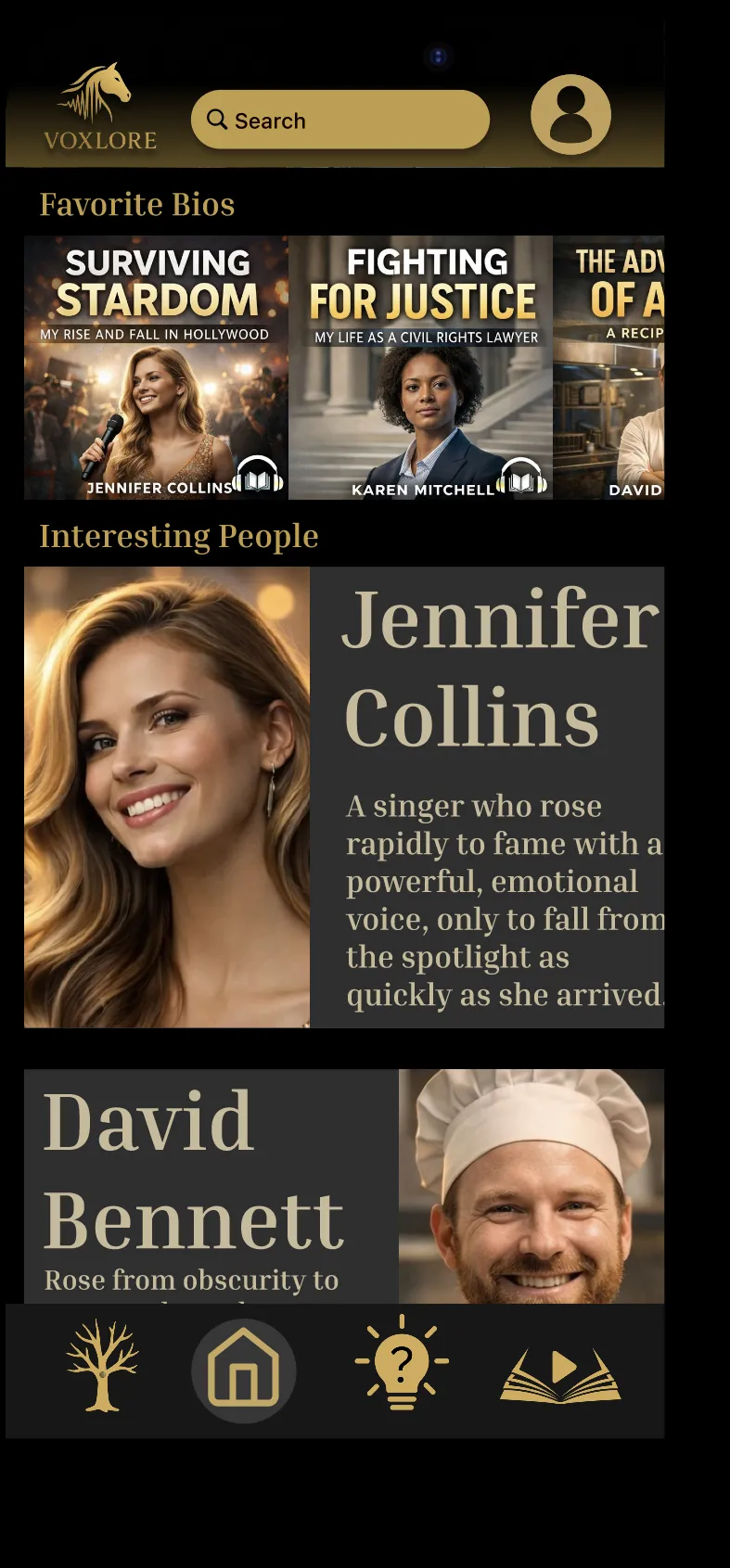
Interesting People introduces someone in a sentence. 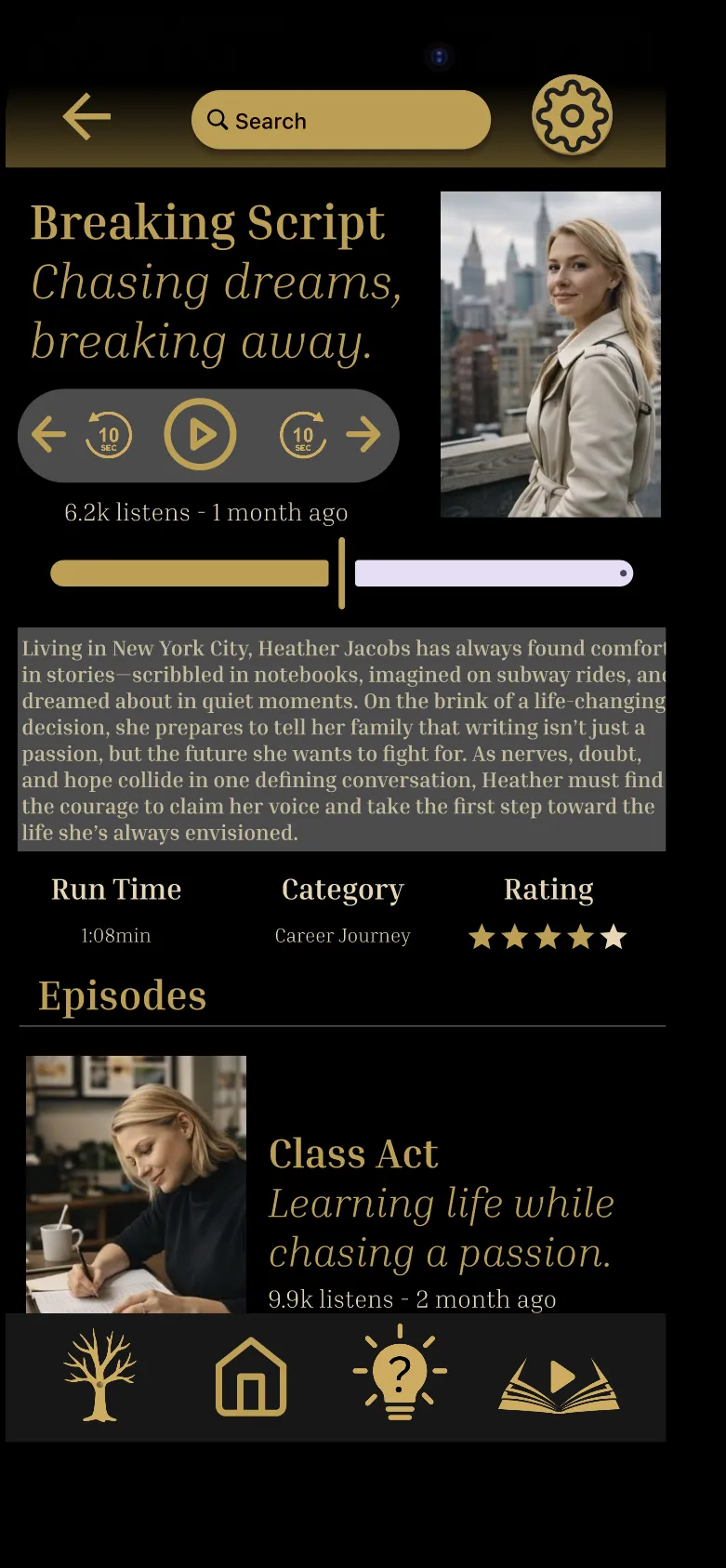
The Bio Player plays a whole life story, Episode by Episode. 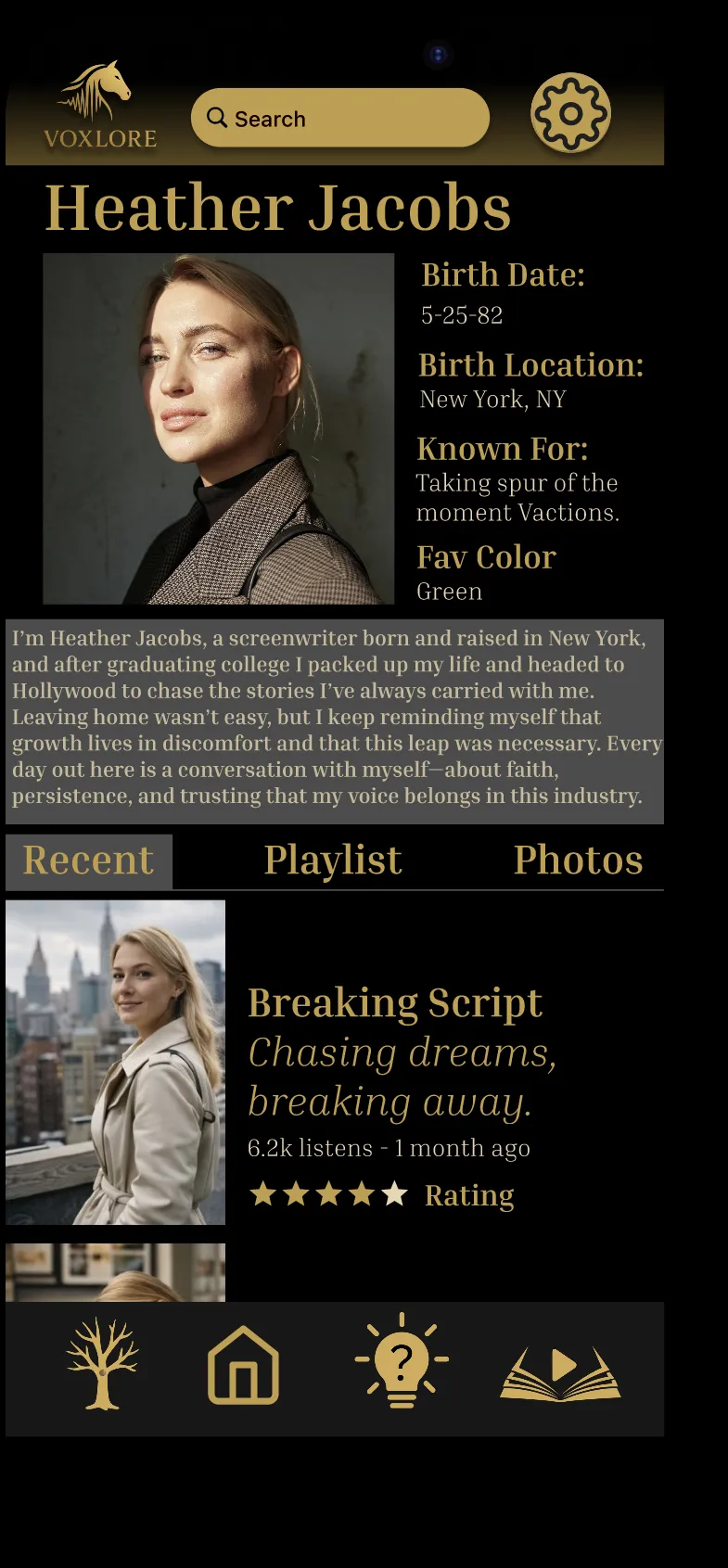
Every profile pairs a person with the stories they tell. 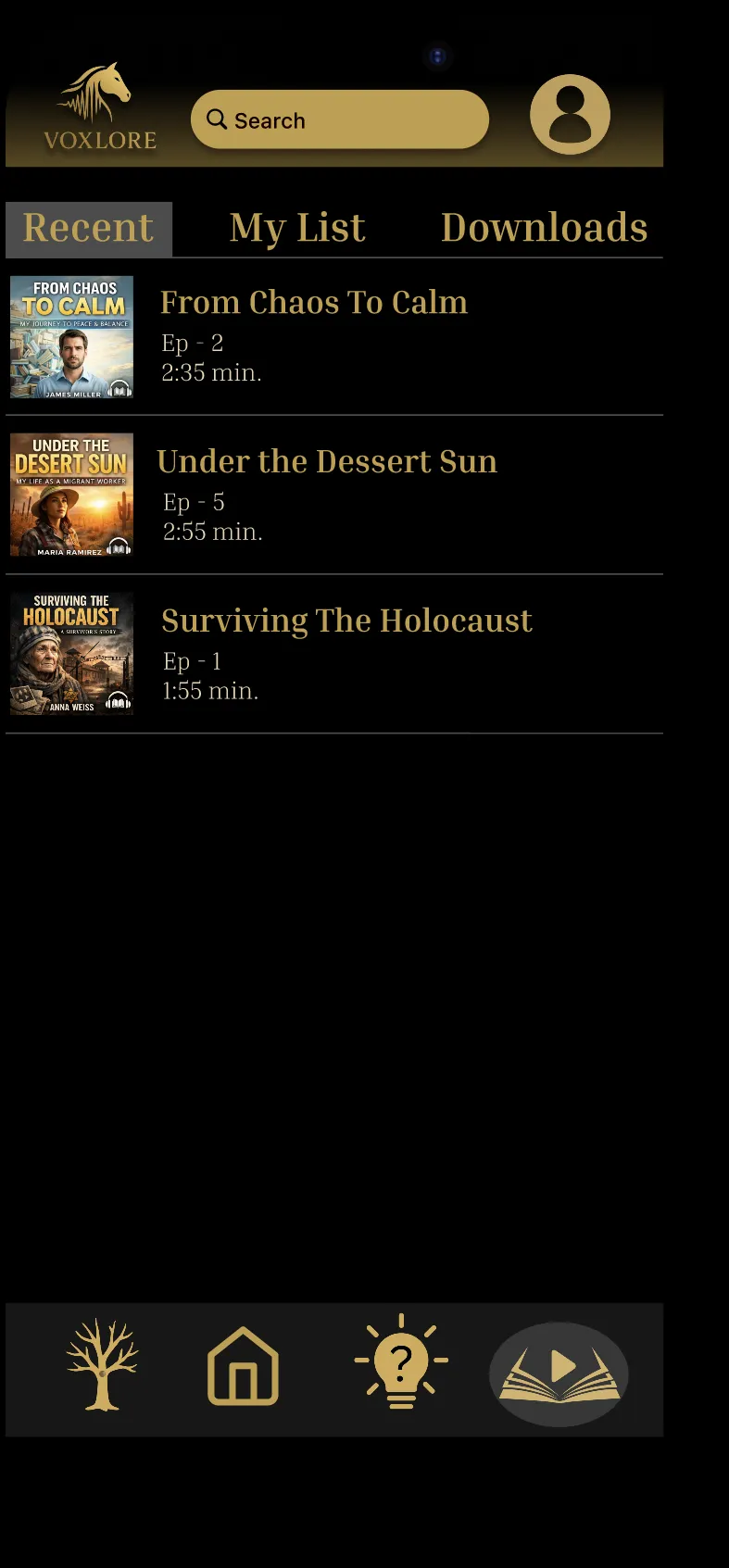
Library keeps your recent listens a tap away.
Screens show sample Bios and people from the beta, not real Members.
How it works
From first listen to your own first Episode.
VoxLore is built for listening first. When you're ready to tell a story, the app walks you through it.
01Step one
Open the app and start listening
Sign in with Apple, Google or a one-time email link. Or tap Skip and look around first; you can sign in later without losing your place.
More in the guide: Open the app and start listening02Step two
Find a story
Home and Discover surface a Featured Bio, the Episodes people are playing most, the newest releases, and Interesting People with a story in a sentence.
More in the guide: Find a story03Step three
Press play
The Bio Player plays a life story Episode by Episode. Skip back ten seconds to hear a line again, see the run time and category, and leave a star rating.
More in the guide: Press play04Step four
Keep the ones that matter
Save Bios to My List, pick up where you left off in Recent, and keep Downloads on your phone for listening without a connection.
More in the guide: Keep the ones that matter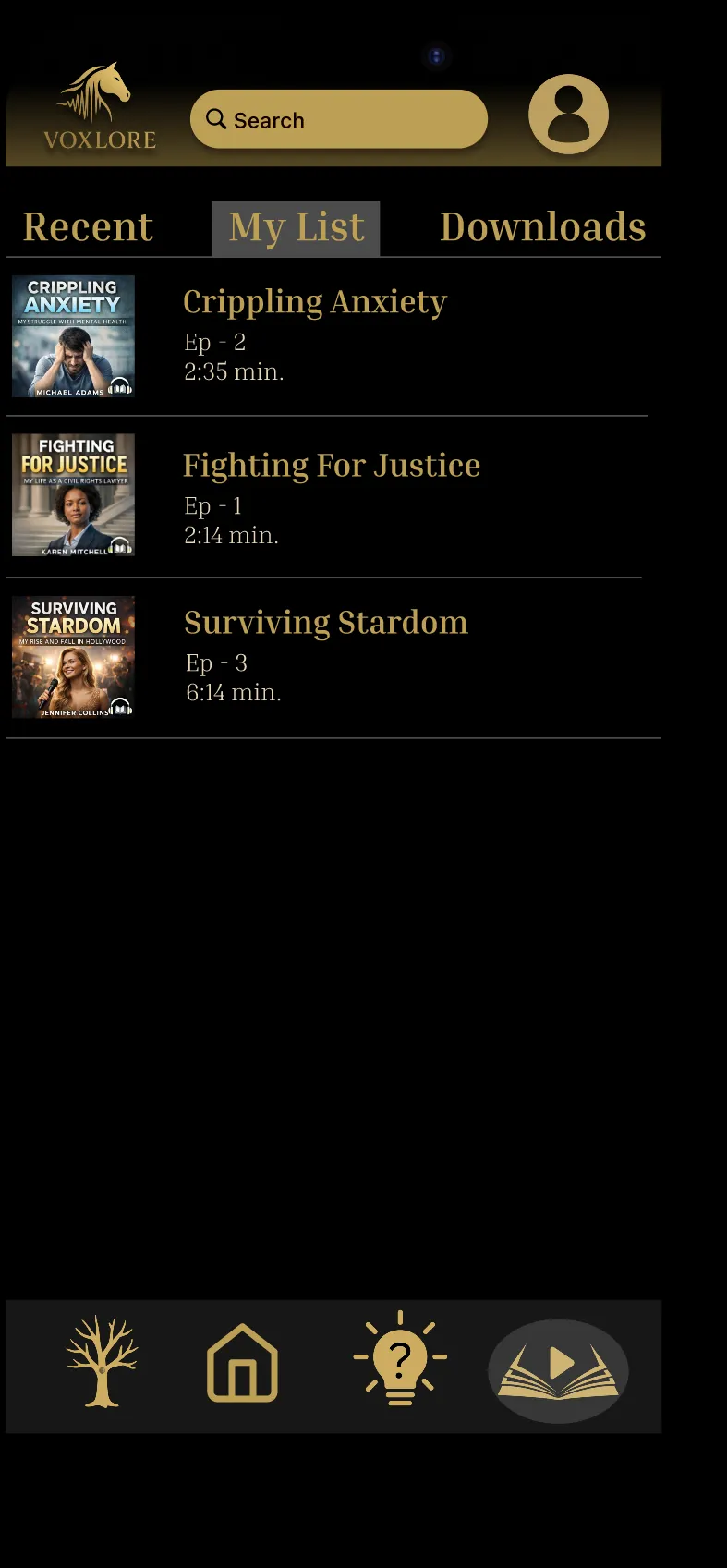
05Step five
Tell a story of your own
From your profile, create a Bio, then add an Episode in five guided steps: choose the Bio, pick audio or video, record or upload, add the details, and publish or save a Draft.
More in the guide: Tell a story of your ownIllustration 06Step six
Grow your family tree of voices
Add parents, children, siblings and spouses who use VoxLore, and remember relatives who have passed away. Tap anyone on the tree to hear their voice.
More in the guide: Grow your family tree of voicesIllustration
VoxLore is in beta
Be one of the first voices.
VoxLore is available soon on Apple and Android devices. Join now to tell us which phone you use and whether you want to listen, tell stories or both. Be first in line for the Founding plan.
Join the beta